



What Are Opaque Window Decals?
Opaque window decals are adhesive decals you can apply on any window, glass door, or other smooth surfaces. These semi-permanent decals can be printed in nearly any size and can be applied on windows on your own — no professional assistance required! Opaque window decals last for years with proper care and can easily be removed when your store ready for a new look.
Opaque window decals work wonderfully for posting store hours or advertising a logo or brand in a window. They can also be cut to the exact outline of the design by selecting Custom from the shape options, or you can have a border added around the outline of your design by selecting Custom with Border.
Opaque Window Decal Features


Inside or Outside Surface Application
Standard and inside glass options allow you to place your decal inside or outside of your storefront window or door.

Easy to Install
Install your opaque window decal in minutes even without professional help. Installation instructions are included with every order so you can put it up on your own or with your team. You can also read a detailed guide below to help you with the process.

Full Color Printing
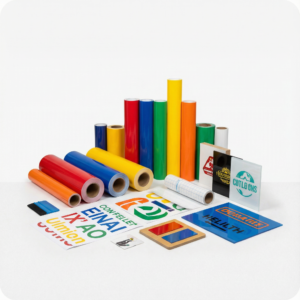
Your design will be printed on premium white adhesive vinyl in full color using the best printing technologies available. The result is a vibrant design that can be displayed proudly on any smooth, non-porous surface.

Custom Cut Options
Multiple shape options available including square/rectangle, rounded corners (¼” & 1”), circle/oval, custom, and custom with border.

Printed to Last
The combination of durable 3 mil vinyl and 4-color UV ink make your opaque window decals weather-resistant and fade-resistant. With proper care, your decal can last for over five years
Popular Opaque Window Decals Templates


How to Use the Opaque Window Decals Templates
-
- Select the decal template of your choice and click on it. Signs.com’s online design tool will open, and then you can start editing the existing template.
-
- Try modifying the size and shapes of the template’s images and texts according to your design preferences. You can also type and save messages on the layout.
-
- Add images to the template. You can either upload your original artwork or click on the “Images” tab on the left side of the design tool to search for and insert free stock images into your decal.
- Once you’re done, click “Save and Continue,” and you’ll be redirected to the payments page. Proceed with the payment and wait for your order to be finalized. You can also request a free proof of your design afterward.


Reviews
There are no reviews yet.